# Chat & Annotations

## Chat

Streamwell includes a simple chatroom for every channel. This can be enabled under Administration -> Server -> Features -> Chat

You can download a copy of the chat or clear the history using the buttons on the right:

![](https://content.gitbook.com/content/a3wmFQsXfoS7NzSqvaqp/blobs/XGkyQIYZ1yiowXFzRPJs/image.jpeg)

## Live Annotations

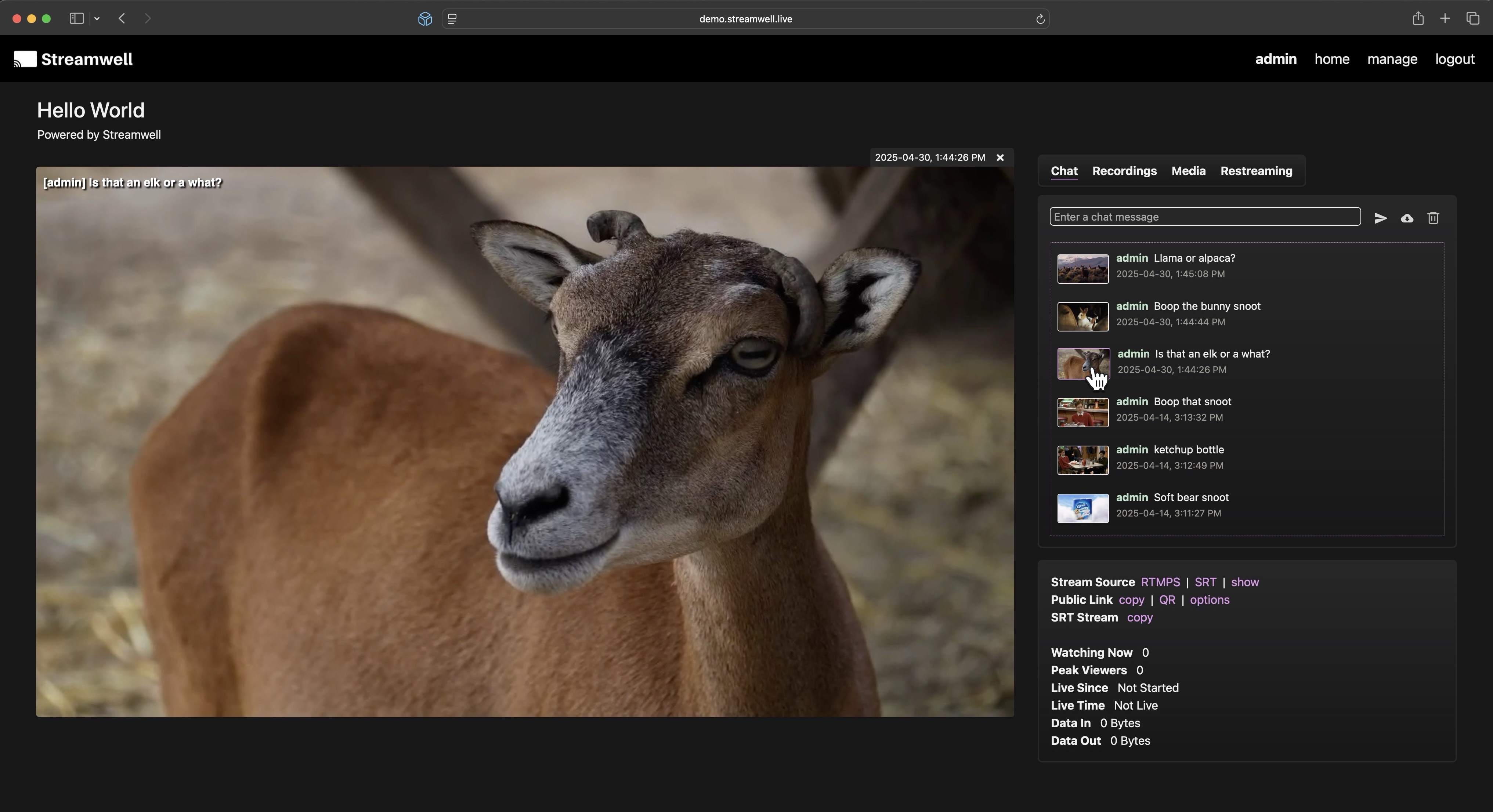
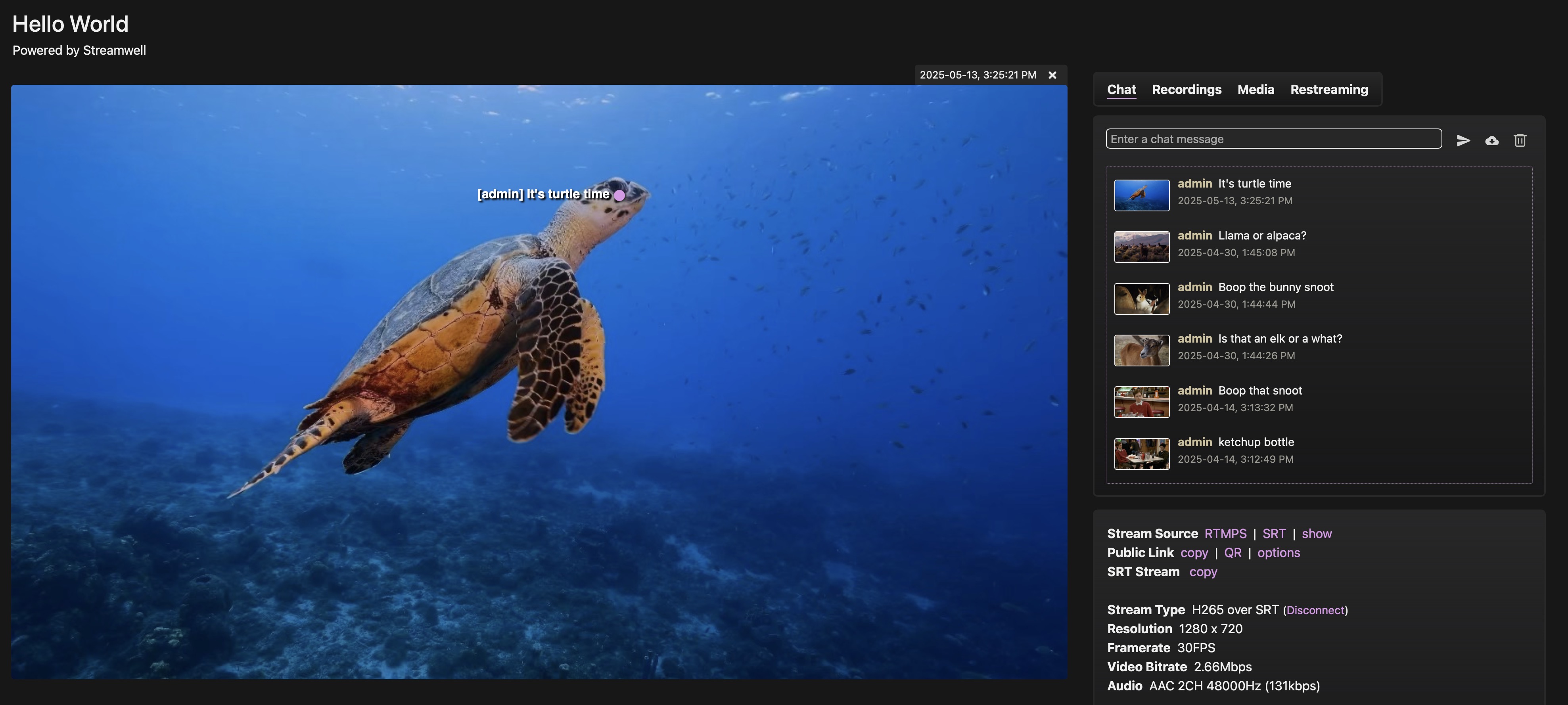
With Annotations enabled, logged-in users will see a freeze frame next to each chat message. These frames are saved automatically the moment the message is sent and are a great way to provide more context to the discussion. And it works whether you are viewing a live stream, a recording, or an uploaded media file. Just click or tap on any frame to bring it into the viewer:

<figure><img src="https://content.gitbook.com/content/a3wmFQsXfoS7NzSqvaqp/blobs/bSmqbLPhbJ6ISgKb6LR0/anno-freezeframe.jpg" alt=""><figcaption><p>Click on the viewer to hide/show the chat message</p></figcaption></figure>

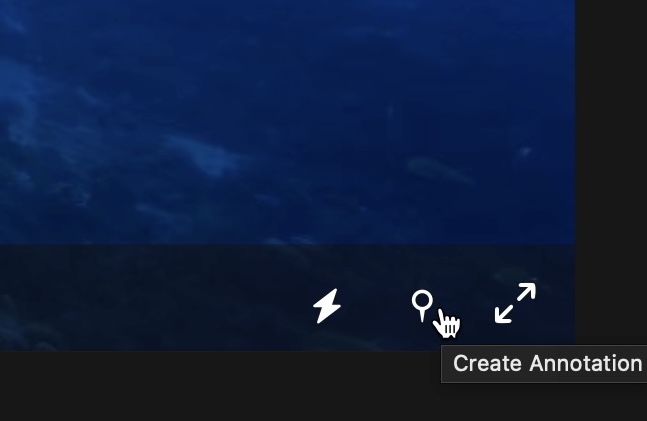
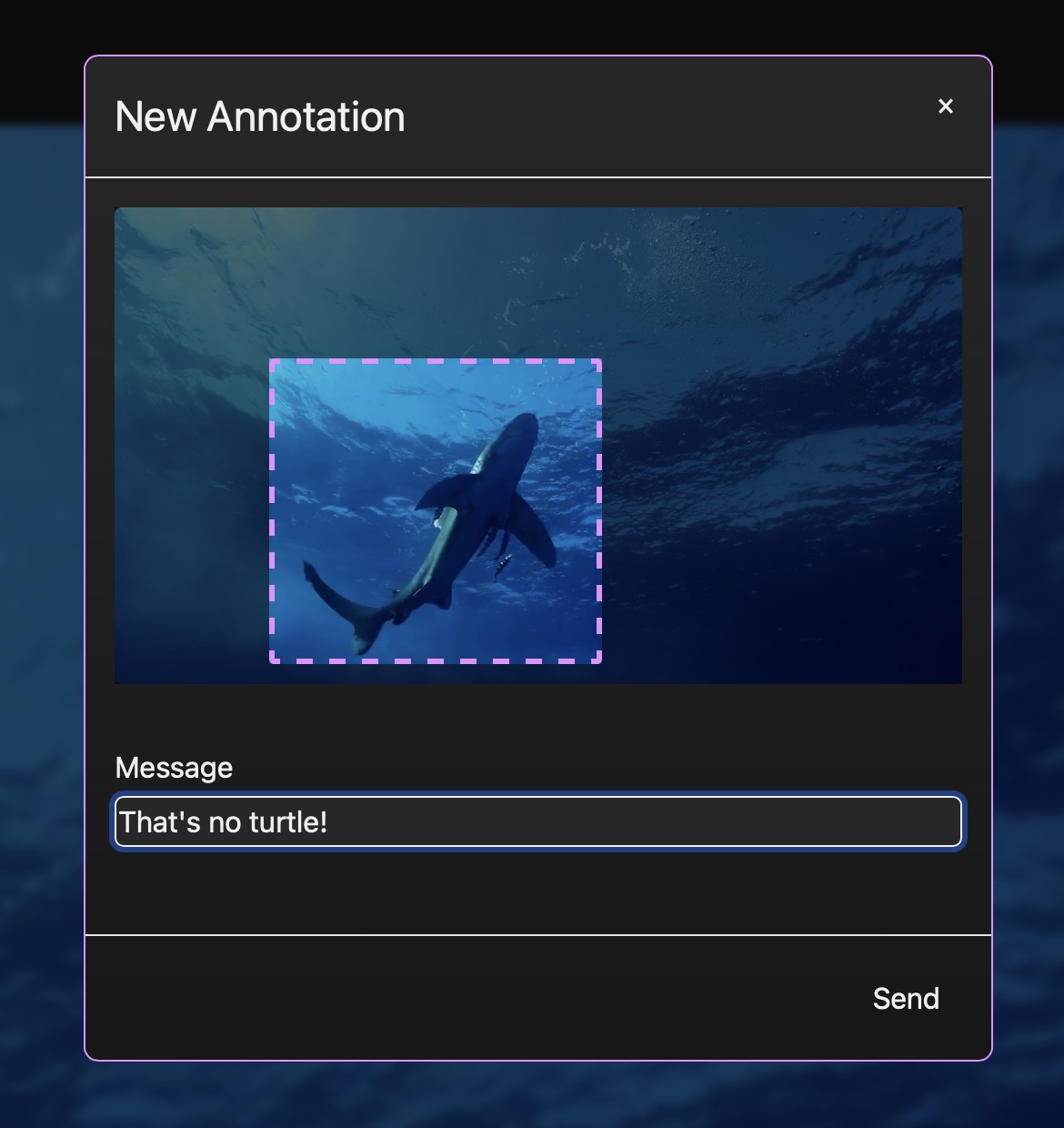
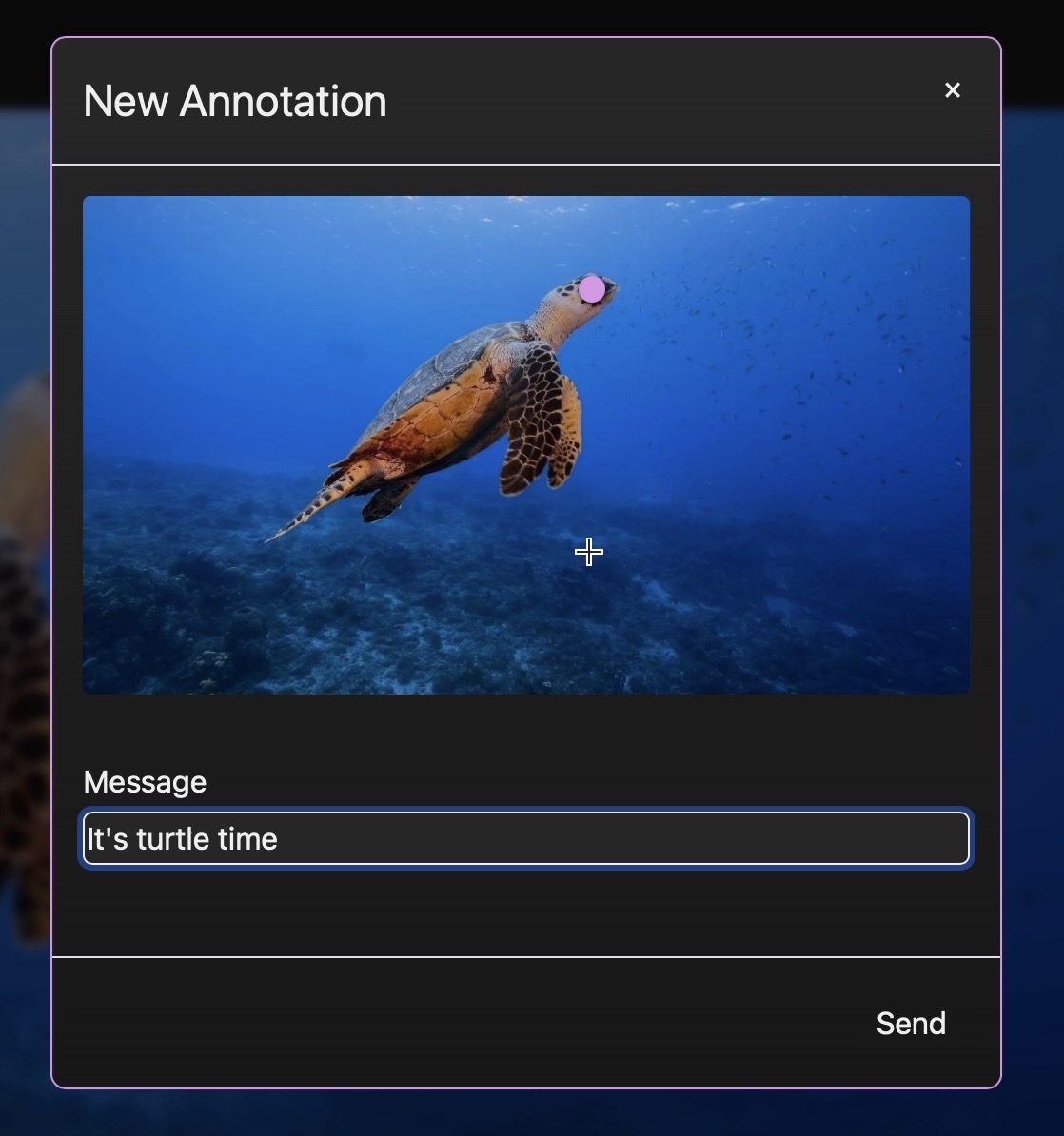
You can also place a "pin" or drag a box on a freeze frame if you want to highlight a particular area of interest. Just click the pin icon on the player, drop a pin (or drag a box) and enter your comment:

<figure><img src="https://content.gitbook.com/content/a3wmFQsXfoS7NzSqvaqp/blobs/BVVGpsEhSuCryoOBbQWG/Screenshot%202025-05-13%20at%203.25.58%E2%80%AFPM.jpg" alt="" width="324"><figcaption></figcaption></figure>

<figure><img src="https://content.gitbook.com/content/a3wmFQsXfoS7NzSqvaqp/blobs/v31PG1BFUXbWqRWOOtZ4/image.jpeg" alt="" width="375"><figcaption></figcaption></figure>

<div align="center"><figure><img src="https://content.gitbook.com/content/a3wmFQsXfoS7NzSqvaqp/blobs/LGM5thmqDHP4xrW0ztAA/Screenshot%202025-05-13%20at%203.26.19%E2%80%AFPM.jpg" alt="" width="375"><figcaption></figcaption></figure></div>

<figure><img src="https://content.gitbook.com/content/a3wmFQsXfoS7NzSqvaqp/blobs/oSXQim0wQamxgB3RGvvh/Screenshot%202025-05-13%20at%203.26.36%E2%80%AFPM.jpg" alt=""><figcaption></figcaption></figure>

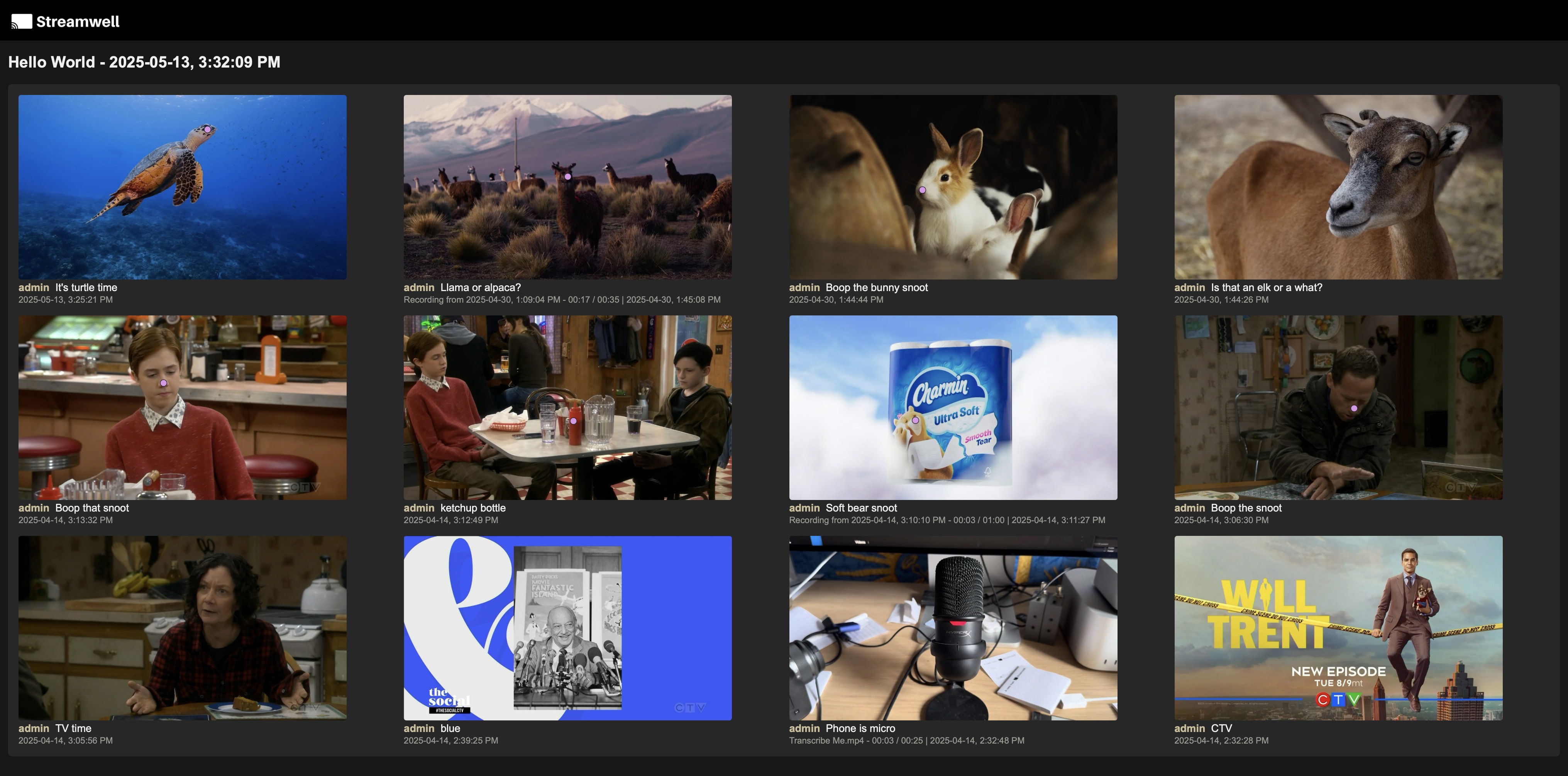
Just like that, your comment will be viewable by other users on this channel. And when you're done gathering feedback, you can download an offline version of the chat with all annotations and comments intact!

Example of downloaded chat:

<figure><img src="https://content.gitbook.com/content/a3wmFQsXfoS7NzSqvaqp/blobs/sNTxcAAtmTDJVZ0R61O2/Screenshot%202025-05-13%20at%203.32.31%E2%80%AFPM.jpg" alt=""><figcaption><p>Downloaded chats will take on the branding of whichever channel they were downloaded from</p></figcaption></figure>