# Haivision Makito
The [Haivision Makito](https://www.haivision.com/products/makito-x4-series/) encoder series is aimed at high-end applications and integration into broadcast environments. They are a great way to bridge your internal video router into a Streamwell server for easy on-site and remote monitoring.
As an example, let's configure a Haivision Makito X4 encoder. We have a Blackmagic UltraStudio Mini Monitor outputting 1080p30 over SDI, which we have plugged into the first SDI port on the encoder (this thing can rock 4 streams at once 🤯)
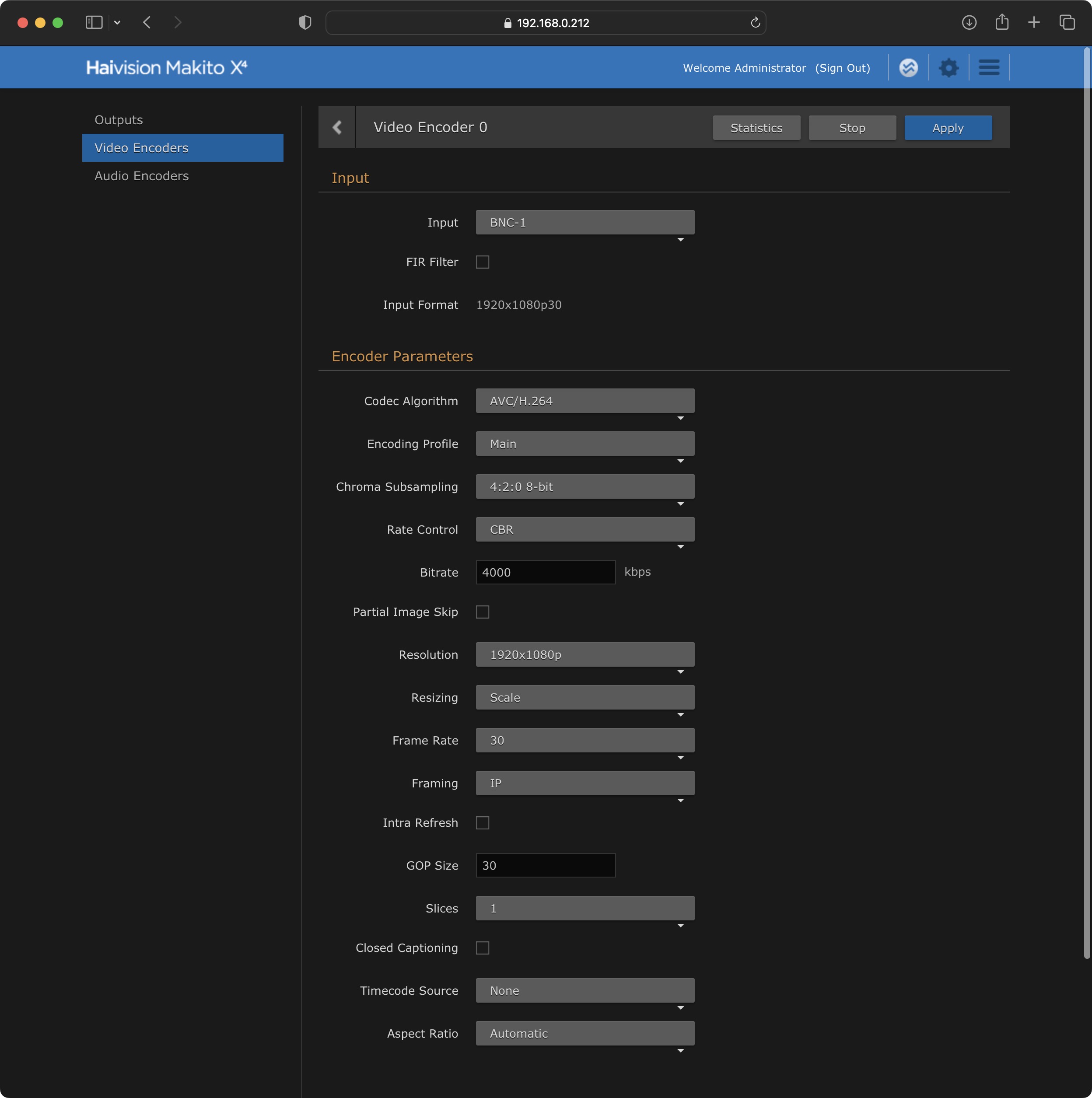
In the Haivision web interface we can set up our Video Encoder and confirm the incoming signal:
Quick checklist:
* **Input** is set to the same SDI port we are connected to.
* **Input Format** is showing the same size and frame rate as our content
* **Codec** is H.264 with 4:2:0 8-bit or HEVC with 4:2:2 10-bit
* **Profile** is Main or Baseline
* **Frame Rate** and **GOP Size** are the same as our incoming frame rate.
* **Audio Encoder** (not pictured) should be AAC with Stereo or Mono audio.
Now we can set up our SRT Streaming output. First get your SRT stream keys from Streamwell:
Stream keys are ugly, which is why we have that 'hide' button up above for when you don't need them!
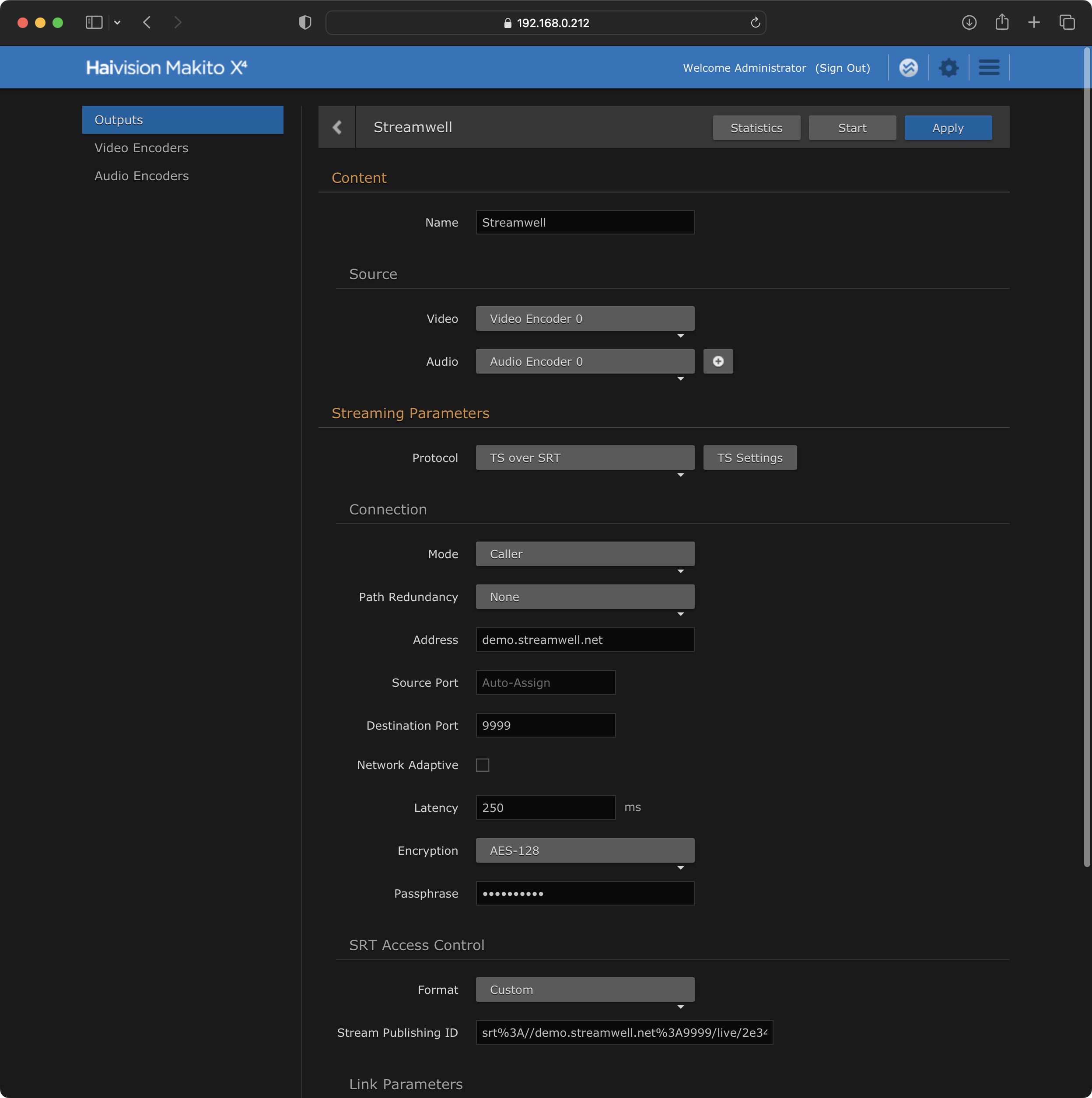
Now enter the information as shown into the Output configuration:
Quick checklist:
* **Source** matches the video/audio encoder you set up (0 -> 0)
* Ensure that **Protocol** is set to 'TS over SRT'
* Set **Mode** to 'Caller'
* For **Address**, put the hostname of your server as indicated in the 'SRT Server URL' you got from Streamwell. No prefix or port number is required in this box.
* The **Destination Port** is 9999 by default, or whatever other port is indicated in your SRT Server URL
* **Latency** can stay at 250ms by default but often can be lowered to as little as 50ms. The encoder will show a 'negotiated latency' value once you've gone live so you can adjust as appropriate.
* **Encryption** is optional and can be set up in Streamwell via the [Advanced Configuration](https://docs.streamwell.net/streamwell-v1.4.10/more-information/advanced-configuration#srt-encryption) guide.
* Choose 'Custom' as the **Format** and paste the entire SRT Stream ID from Streamwell into the 'Stream Publishing ID' box.
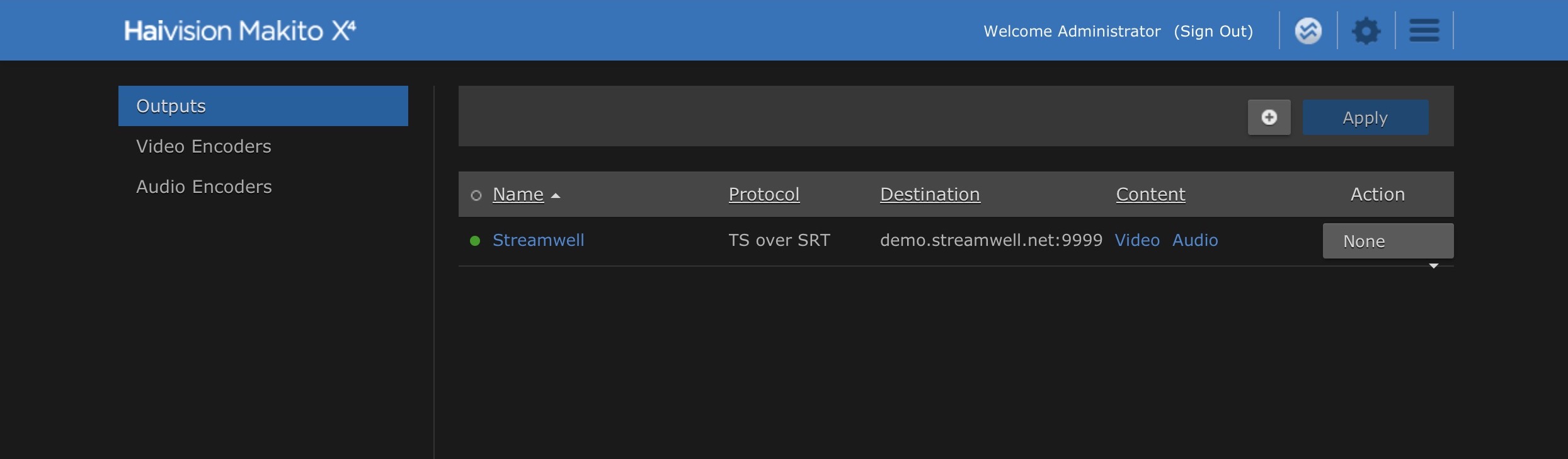
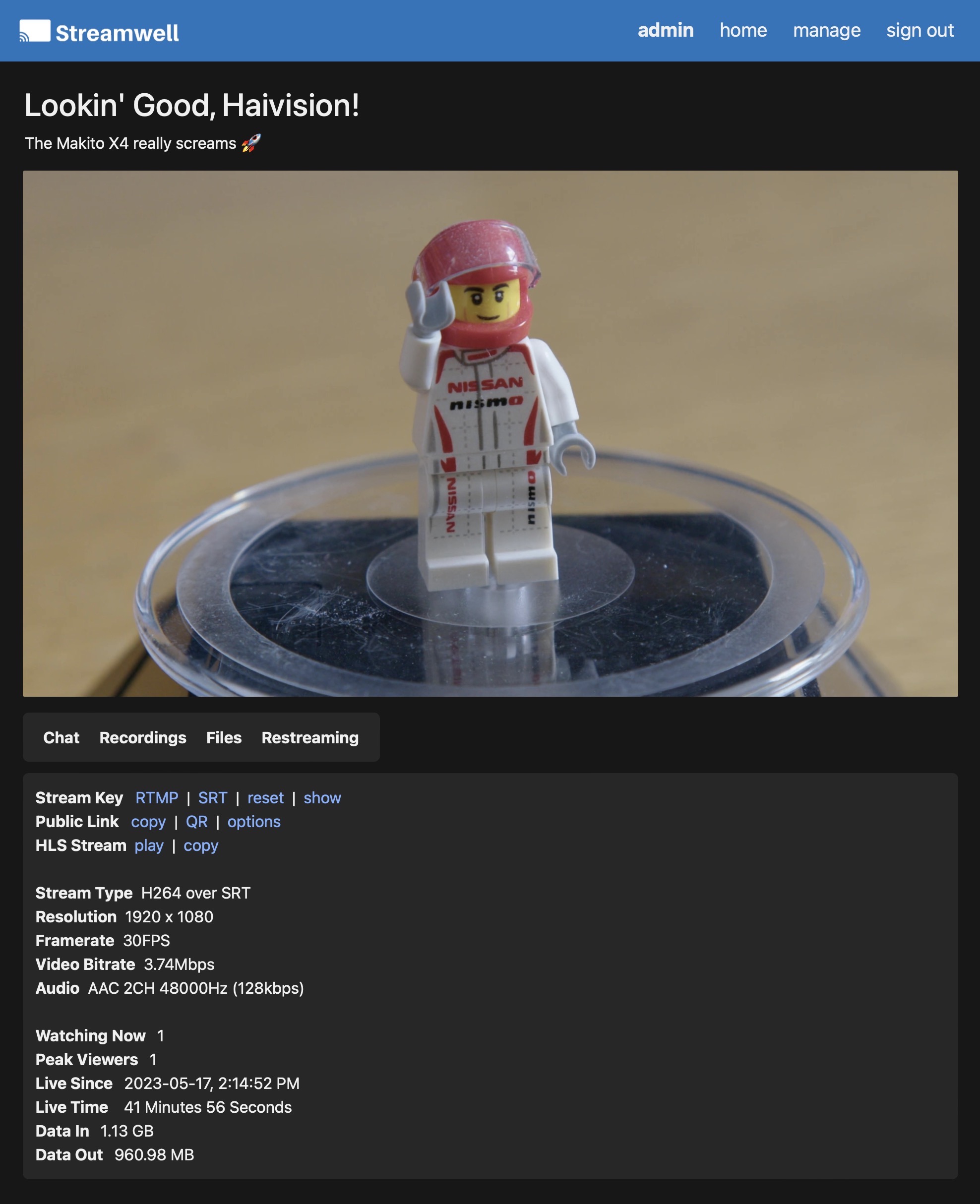
Finally, click 'Create' in the upper right and your stream should go live in just a few seconds! You can check the status of the Stream on the main Outputs page (look for the green dot):